
Microsoft 365 Security Baselines
Don’t let tenant security be a black box. Syncro brings Microsoft 365 security baselines directly into the platform, giving you the tools to detect drift, enforce standards, and prove compliance without leaving your primary workspace.
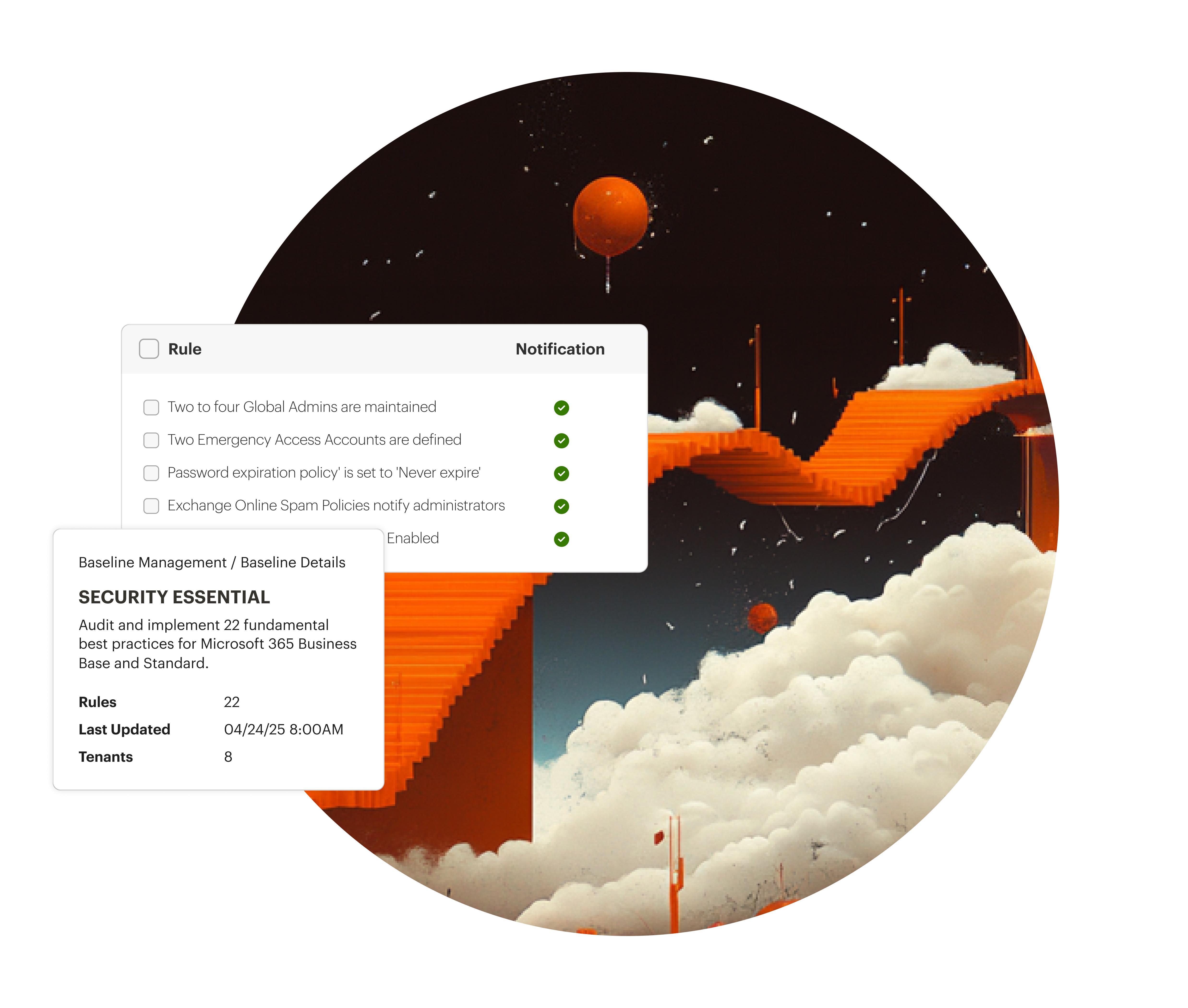

Detect Security Drift
Get visibility into your M365 tenant security and receive notifications when a security baseline is breached.

Benchmark Against the Best
Measure your organization’s security posture against industry-standard benchmarks. Know exactly where you stand and what you need to improve.

Rapid Risk Remediation
Identify gaps and quickly close them. Reset passwords, enforce MFA, or revoke session tokens directly from Syncro.
Automated. Compliant. Actionable.
Bolster your Microsoft 365 security posture with a specialized toolkit that bridges the gap between device management and cloud identity.
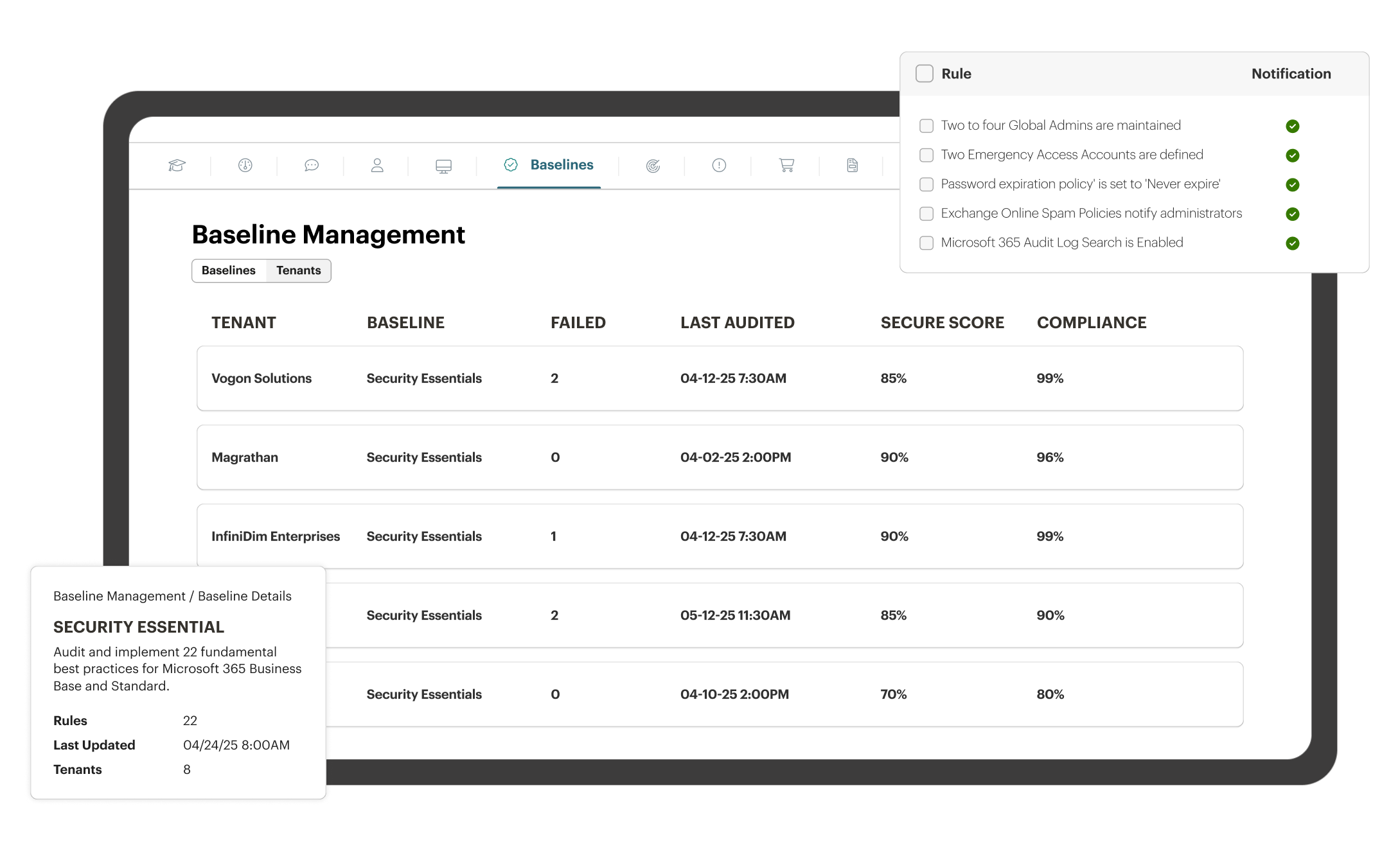
Industry-Aligned Benchmarking
Automatically compare your tenant settings against industry standard security benchmarks to identify critical vulnerabilities and misconfigurations.
Continuous Drift Monitoring
Stay ahead of unauthorized changes. Syncro continuously monitors your environment and flags any setting that deviates from your defined baseline.
One-Click Security Actions
Perform critical user-level security tasks, such as revoking MFA or resetting credentials, directly within Syncro.
Holistic Security Scoring
View your security posture score alongside your endpoint health for a unified, 360-degree view of organizational risk.

Unified Security Stack
Stop jumping between Entra ID, M365 admin, and endpoint management tools. Manage physical infrastructure and cloud identity from a single pane of glass.

Scalable Compliance
Manage multiple tenants or complex organizational departments with standardized baselines that ensure security consistency across the entire enterprise.

Always-On Security Monitoring
Automatically checks users, devices, apps, and data for risks so your team doesn’t have to.
Unified Security Stack
Stop jumping between Entra ID, M365 admin, and endpoint management tools. Manage physical infrastructure and cloud identity from a single pane of glass.
Scalable Compliance
Manage multiple tenants or complex organizational departments with standardized baselines that ensure security consistency across the entire enterprise.
Always-On Security Monitoring
Automatically checks users, devices, apps, and data for risks so your team doesn’t have to.

“Having these Microsoft-focused functionalities in the same pane of glass is priceless. It’s going to save us from purchasing external solutions, and features like password resets and secure compliance scores are exactly what we need.”
— Vincent Williams, Co-Founder and CEO, Orchestrate Technologies

Syncro Power Hour: Unlocking Microsoft 365 Efficiency & Security for MSPs
Streamline Microsoft 365 management into your tech stack with Syncro. Learn how XMM boosts efficiency, security, profitability & more for MSPs.

Microsoft 365 Security: Essential Guide for MSPs and IT Teams
Struggling to lock down Microsoft 365? Discover how IT departments can deploy airtight security, automate compliance, and respond fast – at scale.

5 Essentials to Strengthen and Sustain Your Microsoft 365 Security Posture
Improve your security with Microsoft 365 security best practices. Learn 5 essentials to strengthen your posture & protect your data today.
Frequently Asked Questions
Syncro regularly polls your Microsoft 365 tenant configurations (checked twice per day). If a setting such as a password policy or MFA requirement, is changed to a less secure state, Syncro alerts you immediately.
No. Syncro augments it by surfacing the most critical security data and remediation tools in the same interface you use for endpoint management, saving your team hours of portal hopping.
Yes. Our security assessments are aligned with globally recognized standards for to improve your security posture.
Absolutely. Syncro is built to manage multi-tenant environments, allowing you to see security scores and manage baselines across all your organizations from a single dashboard.
Yes. You can perform one-click actions like revoking sign-in sessions, resetting passwords, and managing MFA settings directly from the user’s profile in Syncro.

Start Your Free Trial with Syncro Today
Gain instant access. Go live in just a few clicks and master core features with guided onboarding. No heavy setup required.

Start Your Free Trial with Syncro Today
Gain instant access. Go live in just a few clicks and master core features with guided onboarding. No heavy setup required.